
Your W‑30 disks, playing again.
WS‑30 Player loads Roland W‑30, S‑550 and S‑50 floppy, ZIP and CD‑ROM images straight into your DAW and plays every patch, split and Part Set the way the hardware does.
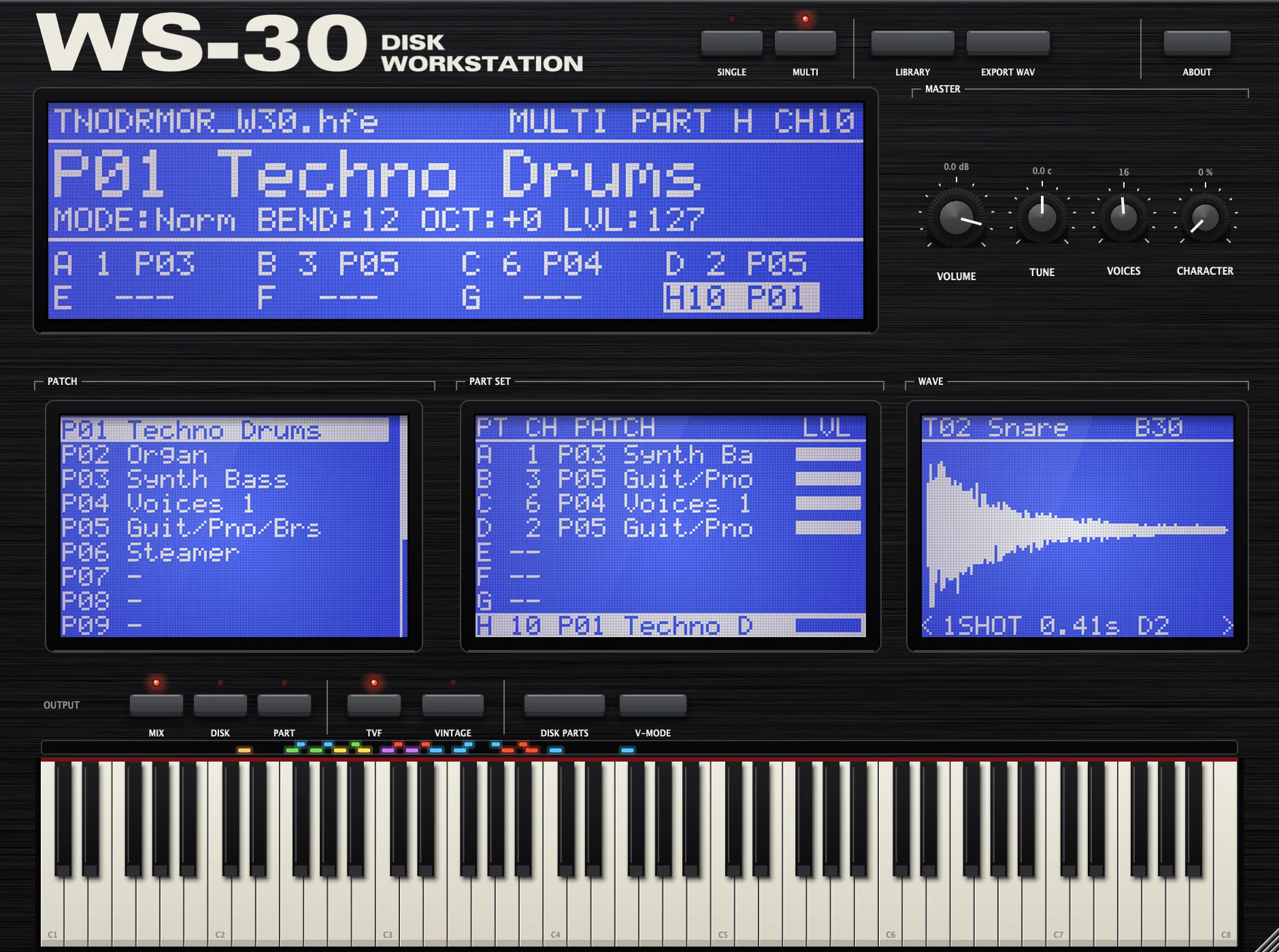
Reads the disks you already have.
Floppy images from a Gotek, HxC or USB drive, ZIP disks and full sample CD-ROMs from the KW-30 SCSI era. CD and hard disk areas appear in their groups, so a 165-area library CD is as easy to browse as one floppy.
The W-30, S-550 and S-50 share one sound format, so all three work. Drag a floppy onto the plugin to load it, or drag a CD image to open it in the library.
| TYPE | SOURCE |
| .W30 | W-30 floppy |
| .OUT | S-550 / W-30 dump |
| .S50 | S-50 floppy |
| .IMG | Raw 720K, Gotek |
| .SDK | SDISK image |
| .HFE | HxC floppy emu |
| .ISO | Sample CD-ROM |
| .NRG | Nero CD image |
| .BIN | Hard disk / ZIP |
Built like the machine.
A hardware-style panel with keycaps, LEDs and knurled knobs. The screens copy the W-30's EL-backlit 240 × 64 dot LCD, down to the 5 × 7 dot font.
Every patch, split and key mode
- All 16 patches with their key splits and all five key modes: Norm, V-SW, Fade, Mix and Unison.
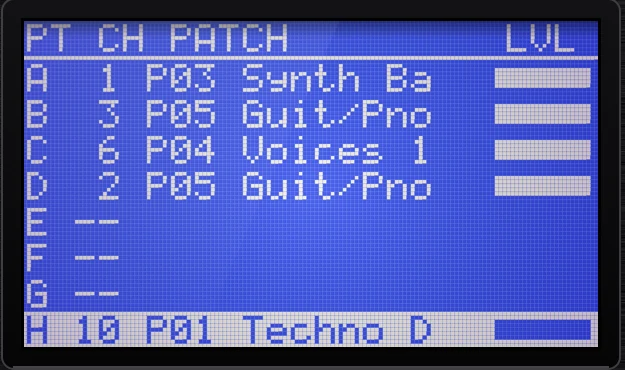
- Single or Multi. Multi works like the W-30's Part Set: 8 parts, each with its own MIDI channel, patch and level.
- Per-tone engine: 30 and 15 kHz samples, forward, alternate, one-shot and reverse loops, 8-stage TVA and TVF envelopes, resonant filter and LFO.
- 8 individual outputs that can follow the Out Assign stored on each disk, or one output per part.
Disk functions you remember
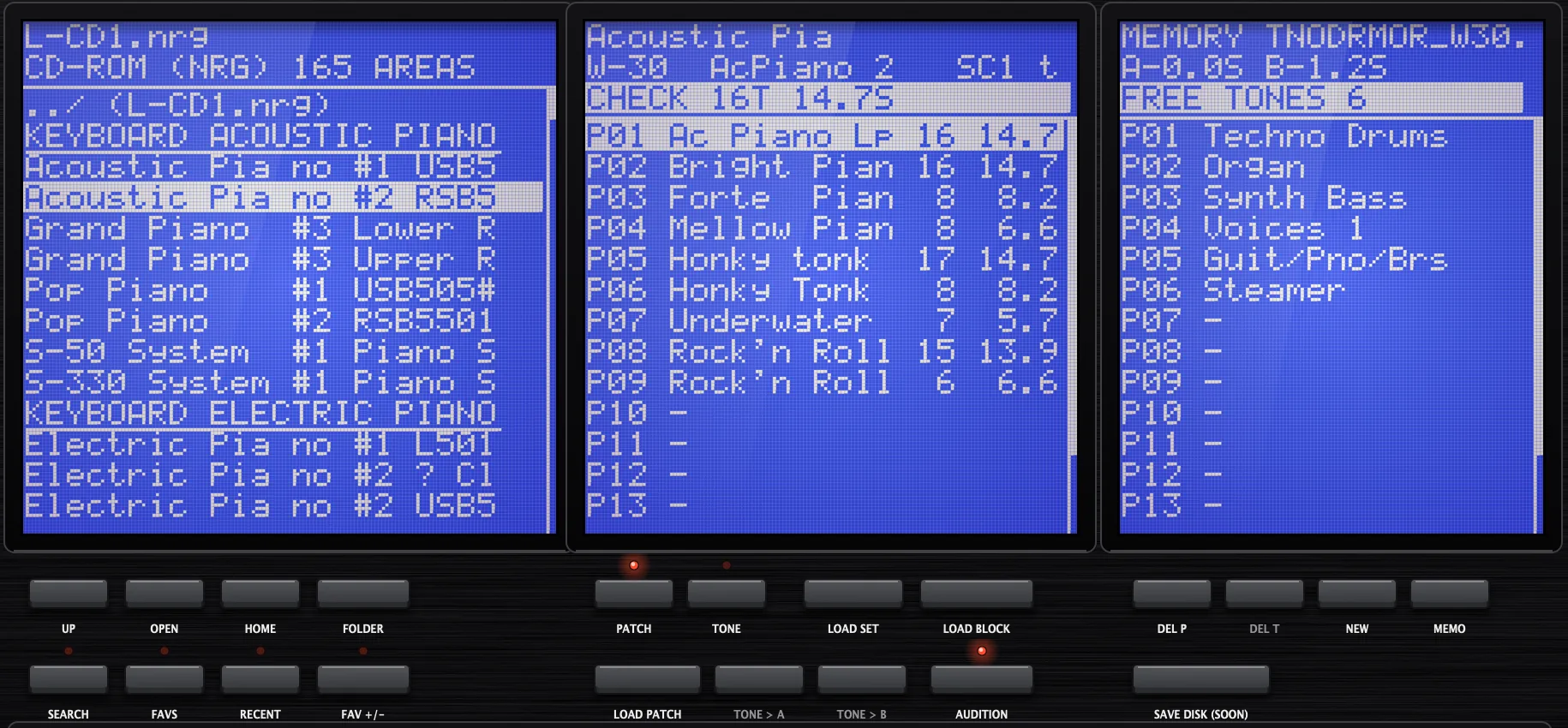
- Load Set, Load Block, Load Patch and Load Tone work as on the W-30, including "Out of Memory" when it won't fit.
- Audition any disk patch or tone from the keyboard before you load it.
- Search every patch, tone and disk under a folder by name, inside CD and hard disk images too.
- Favourites and Recent, and the library reopens where you left it, even deep inside a big CD.
Your sounds, kept and exported
- Faithful memory limits. Anything that wouldn't fit in a W-30's memory is refused or trimmed, just as on the hardware.
- Export WAVs with root key and loop points in the smpl chunk, ready for any other sampler.
- Saved with your project. The disk lives inside the DAW session, so it reopens even if the file moves.
- Coming soon: Save Disk. Write memory back to a W-30 floppy image (.IMG for Gotek, .HFE for HxC) and load it on the real thing.
The W-30's memory, exactly.
The same limits as the hardware, so the sounds behave as they did in 1989.
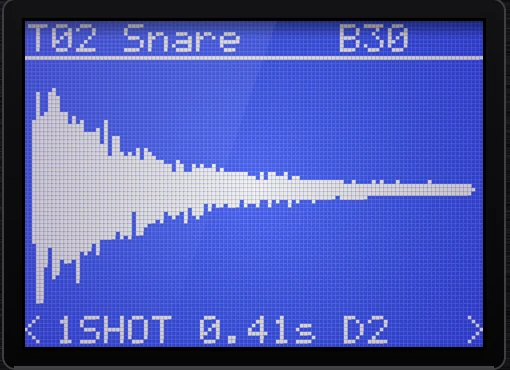
Wave memory at 30 kHz: two banks of 18 segments, 7.2 s each
Samples decoded from the original packed 12-bit format
RAM tones and patches per disk
Default polyphony, as on the W-30. Raise it if you like
| macOS | macOS 11 or later. Universal binary for Apple silicon and Intel. VST3 and AU. |
|---|---|
| Windows | Windows 10 or 11, 64-bit. VST3. |
| Hosts | Any VST3 or AU host: Ableton Live, Logic Pro, Cubase, FL Studio, Bitwig, Reaper, Studio One and others. |
| Host controls | Patch, volume, master tune, TVF on/off, interpolation (Clean or Vintage) and polyphony. |
| MIDI | Pitch bend, mod wheel, sustain, channel and poly aftertouch, program change 1–16. |
ROM tones 33–96 stay silent. Their waves live in mask ROMs inside the W-30, not on the disk. Keys mapped to them show in grey and the display tells you.
The sequencer and effects aren't emulated. Song data on a disk is not played.
Saving disks for the hardware is a feature coming soon. Disk, ZIP and CD images are only read, never changed.
System (OS) disks are not sound disks, so they won't load.
Try it before you buy.
The demo is the full plugin. Every feature works, but the audio drops out for 2 seconds every 45 seconds.
- 1. Download and install the demo for your computer.
- 2. Load your disks and play.
- 3. When you buy, enter your licence key under ABOUT > ACTIVATE. The demo becomes the full version, with no reinstall.
Questions
Do I need a W-30?
No. You only need disk images. If you do own a W-30, S-550 or S-50, you can image your floppies and play them in your DAW.
Does it come with sounds?
WS-30 Player is a player and disk tool. It plays W-30, S-550 and S-50 sound disk images that you supply, from your own floppies or from a disk archive.
How do I get my old floppies into it?
Copy them with a USB floppy drive and a tool such as OmniFlop or SDISK, or use the .IMG and .HFE files from a Gotek or HxC emulator. Then drag the image onto the plugin or browse to it in the library.
Can I save disks for my real W-30?
Saving W-30 floppy images (.IMG for Gotek, .HFE for HxC) is a feature coming soon.
Is there a demo?
Yes. The free demo is the full plugin with a 2-second audio dropout every 45 seconds. Buying gives you a licence key that turns the demo into the full version.
How many computers can I use it on?
Your licence key activates WS-30 Player on up to 3 computers, and you can move an activation by deactivating it in ABOUT. Activation needs the internet once; after that it works offline. Mac and Windows both use the same licence.
Does it sound like the hardware?
It plays the original 12-bit samples with the disk's own envelopes, filter and loop settings. Turn up CHARACTER for the W-30's analogue output stage (a gentle low-pass, soft saturation and a little hiss), and pick Vintage interpolation for a grittier pitch shift.